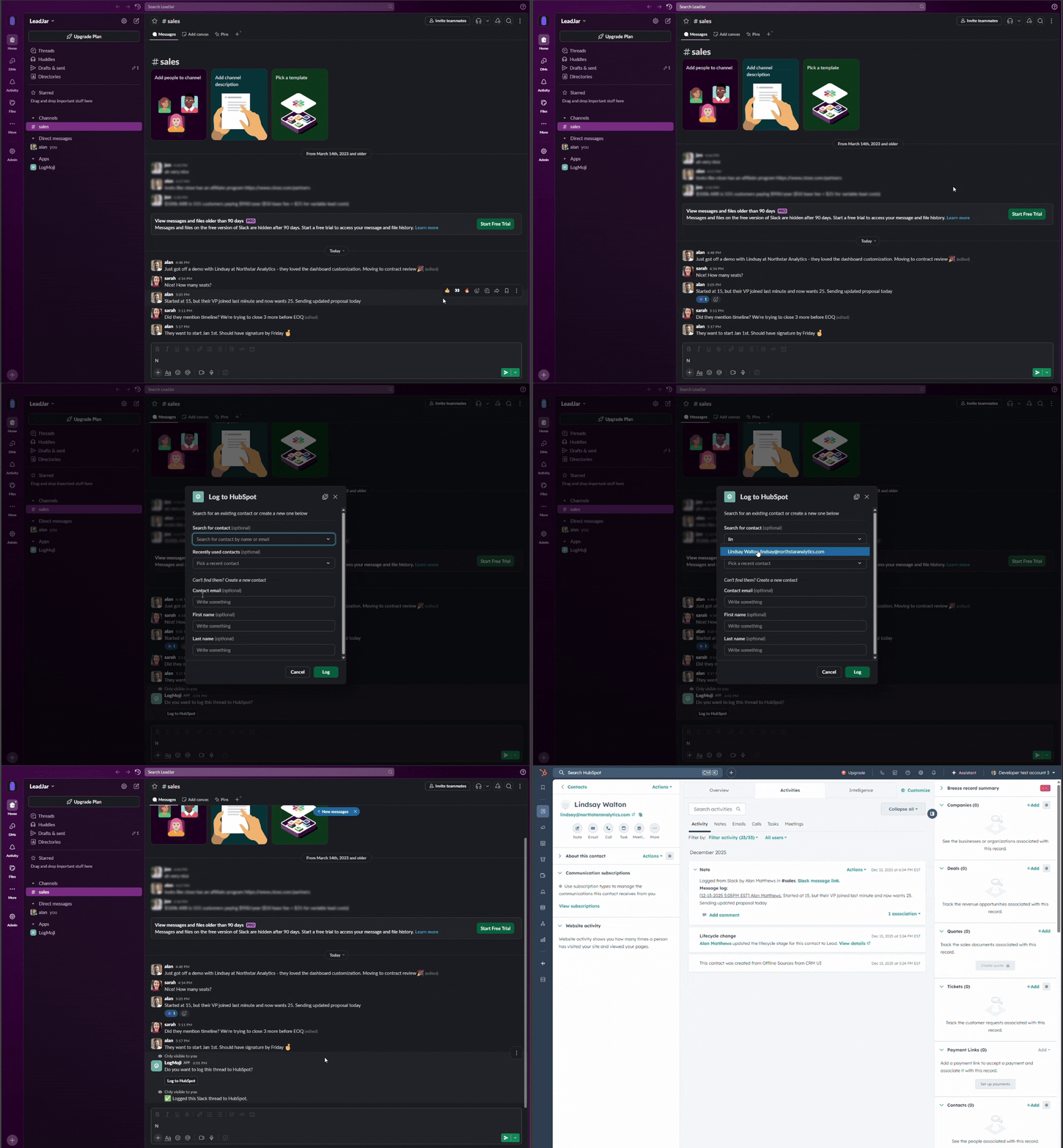
Emoji → HubSpot. Done.

LogMoji lets your team log Slack messages and threads to HubSpot with a single emoji reaction. Never copy-paste from Slack again.

Start Trial

14 day free trial - No credit card required

GIF demo of LogMoji GIF demo of LogMoji

Critical conversations happen in Slack. Don't let your CRM miss them.

Time Saved

Eliminate the daily grind of copy-pasting Slack threads. One emoji reaction does it all.

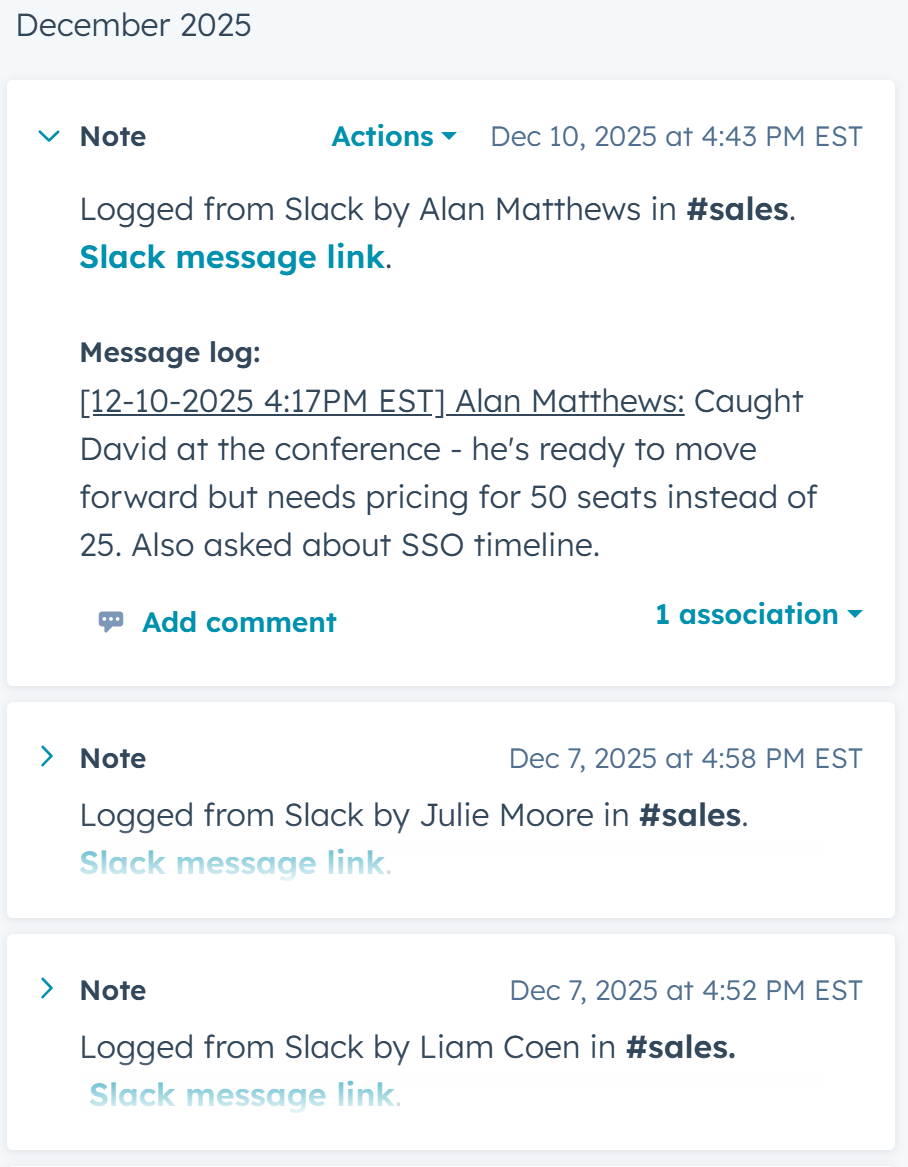
Performance chart showing time saved by automating Slack to HubSpot logging Performance chart showing time saved by automating Slack to HubSpot logging

Team Insights

Turn scattered observations into shared intelligence that reaches the right people.

Team insights dashboard showing shared customer intelligence in HubSpot Team insights dashboard showing shared customer intelligence in HubSpot

AI Summaries

Transform long threads into scannable summaries so your HubSpot notes are actually useful.

AI summaries feature illustration

Deal Visibility

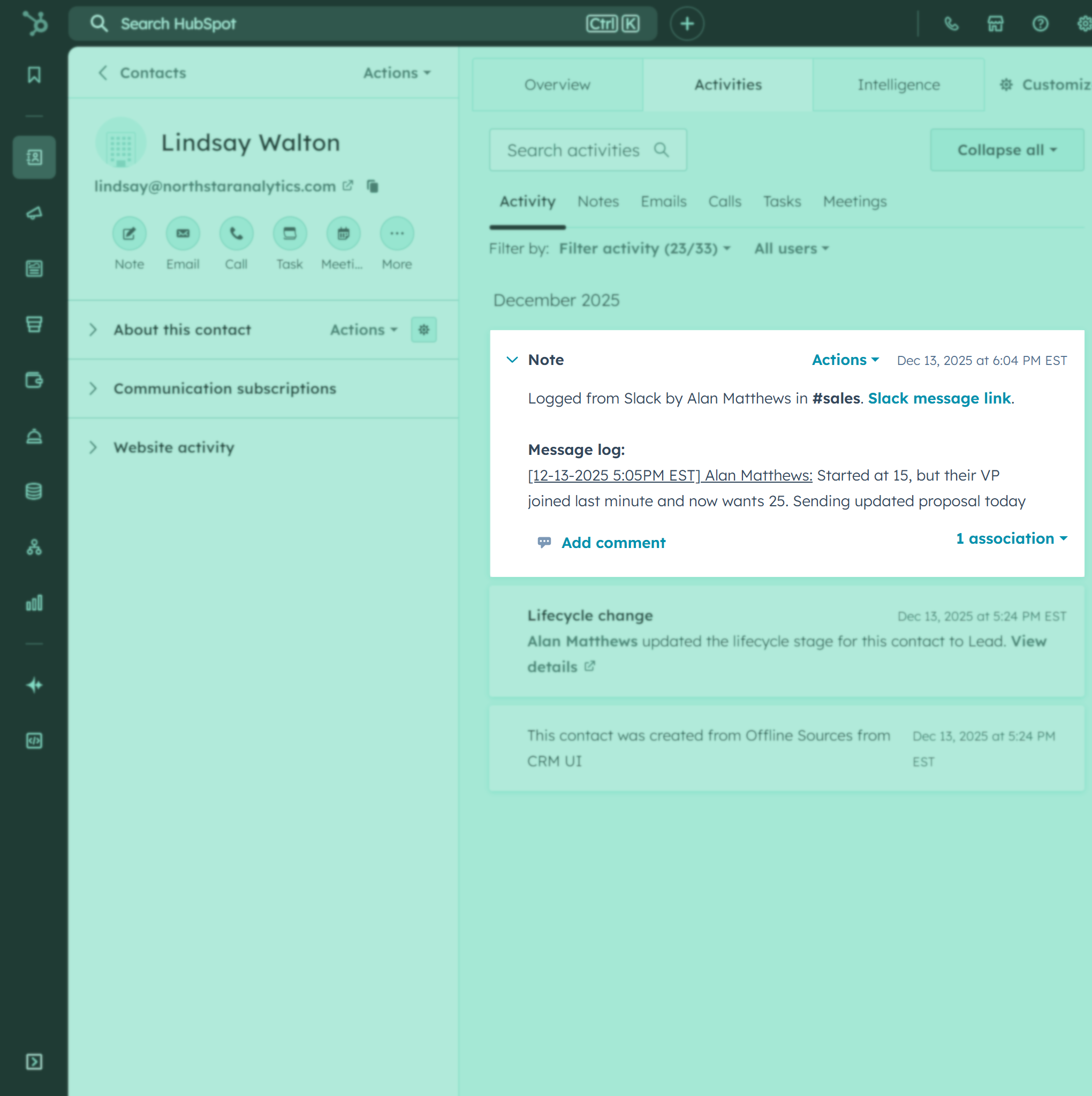
Any rep can log to any contact. Account owners get full context even when they weren't in the conversation.

HubSpot contact record showing Slack conversation logs accessible to entire team

Mobile Friendly

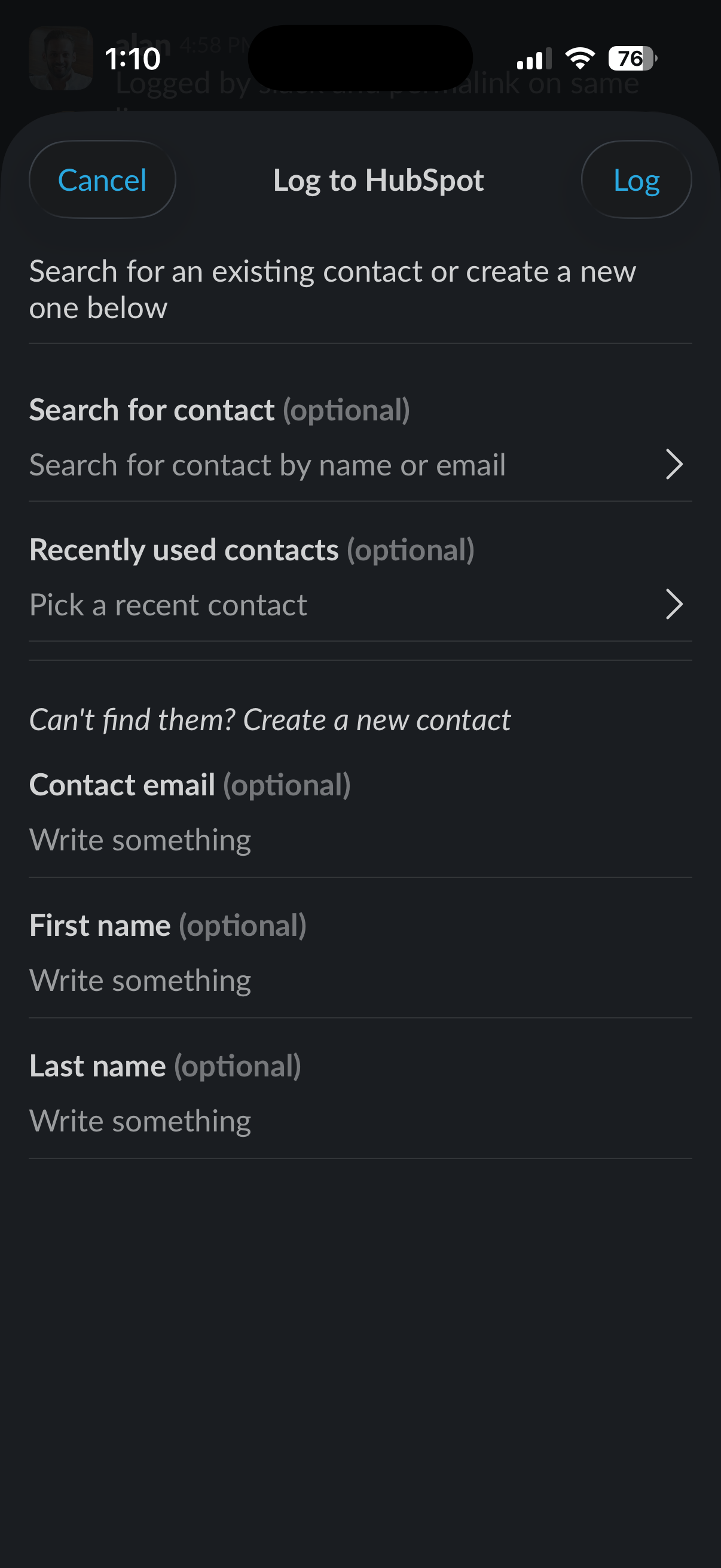
Works on Slack mobile. Capture critical context from anywhere, not just in the office.

LogMoji running on Slack mobile app with emoji reaction interface

Have questions?

Can't find the answer you're looking for? Reach out to our support team by sending us an email and we'll get back to you as soon as we can.

How does LogMoji work?
React with your team's emoji on any Slack message → a tiny modal pops up → one click → full thread + attachments (files, images, media) land as a HubSpot note.
Can I choose which HubSpot contact to log to?
Yes, you can search HubSpot contacts or create a new contact, all within Slack.
Can I use my own emoji?
Yes - any emoji you want (:memo:, :log_it:, etc.)
Do you support HubSpot Deals & Companies?
Yes, logging to deals is included in the Pro & Business plans, and logging to companies is included in the Business plan.
What happens if someone reacts by accident?
Nothing is logged until they hit “Log” button in the Slack modal, reactions alone do nothing.
Does LogMoji support private channels and DMs?
Yes, as long as the LogMoji bot is invited to the private channel or one of the participants uses the emoji inside a DM. LogMoji respects your Slack permissions and only sees channels it has access to.
Does LogMoji log the entire thread or just one message?
It logs the entire conversation thread, including: the original message, all replies, usernames, timestamps, permalink to message, and file attachments.
Is my data secure?
Yes - All data in transit has SSL encryption, Slack messages are never stored on LogMoji servers, and API access tokens are encrypted at rest.

Pricing

One flat rate per Slack workspace.

14 day free trial - No credit card required

Starter

$39 /month - 14 day free trial

  • Up to 5 users
  • Unlimited logs (File attachments included)
  • Log to HubSpot Contacts
  • 200 AI summaries
Get started

Pro

Most popular

$79 /month - 14 day free trial

  • Up to 15 users
  • Unlimited logs (File attachments included)
  • Log to Contacts + Deals
  • Unlimited AI summaries
Get started

Business

$149 /month - 14 day free trial

  • Up to 25 users
  • Unlimited logs (File attachments included)
  • Log to Contacts + Deals + Companies
  • Unlimited AI summaries
Get started